
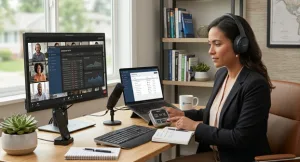
A reliable internet connection is the backbone of modern productivity. With more people working from home than ever before, having the right digital tools can make a significant difference in your efficiency and work quality.
This guide explores practical online utilities that help you manage your time effectively and handle digital files with ease—all designed to work seamlessly with your home internet setup.
Time Management for Productive Days
Managing your time effectively is crucial when working from home. Without the structure of an office environment, it’s easy to lose track of time or become distracted. Simple digital tools can help you stay focused and organized.
Countdown Timers for Task Management
A 10-minute timer is a versatile tool for structuring your workday. It’s perfect for various activities:
- Quick breaks: Use it to time short rests between tasks
- Task sprints: Focus on a single task for a set period
- Meetings: Keep presentations and discussions on track
- Household tasks: Manage chores or cooking without overrunning
The key benefit is creating a sense of urgency without stress. Knowing you have a defined window encourages focused effort, and the audible alert provides a clear signal to switch tasks or take a break.
Precision Timing for Specialized Tasks
For activities where you need to measure elapsed time, an online stopwatch is invaluable. Unlike a countdown timer, a stopwatch tracks how long something takes, which is useful for:
- Measuring productivity: Track how long specific tasks actually take
- Timing activities: Monitor workouts, experiments, or processes
- Comparing efficiency: Identify bottlenecks in your workflow
Because these tools run in your browser, they work on any device without installation. They also respect your privacy—data stays local and isn’t uploaded to servers.
File Management Made Simple
Digital files are a constant part of modern work. Receiving, organizing, and sharing documents efficiently can save significant time and reduce frustration.
Converting Archives for Professional Sharing
ZIP files are commonly used to compress multiple documents into a single package. While practical for sending, they can be inconvenient for recipients who need to view or present the contents. This is where a ZIP to PDF converter becomes essential.
This tool extracts the contents of your ZIP archive and combines them into a single PDF document:
- Upload: Select your ZIP file (supports files up to 100 MB)
- Convert: Processing happens quickly and securely
- Download: Your PDF is ready for sharing or archiving
Why This Matters for Your Workflow
- Professional presentation: Clients and colleagues receive a single, polished document
- Enhanced accessibility: PDFs work on any device without special software
- Better organization: Store projects as single, easy-to-find files
- Privacy protection: Files process securely and are not permanently stored
These tools are browser-based, meaning you can use them on any device—your work laptop, home desktop, or even your smartphone.
Building Your Productivity Toolkit
Integrating these tools into your daily routine is straightforward:
- Start your day: Use a countdown timer to structure your morning routine
- Focus on tasks: Set timers for work sprints and breaks
- Measure efficiency: Use a stopwatch to track time spent on recurring tasks
- Manage files: Convert ZIP archives to PDF before sharing with clients or team members
Frequently Asked Questions
Are these tools free to use?
Yes, all the tools mentioned are completely free and require no account or subscription.
Do they work with my internet service?
These browser-based tools work with any internet connection and are designed to be fast and efficient.
Can I use them on multiple devices?
Yes, you can access them from any device with a browser, including smartphones and tablets.
Is my data secure when using these tools?
Files are processed securely and automatically deleted after conversion. Time data stays in your browser.
Conclusion
Productivity at home depends on having the right digital tools. By integrating these free, accessible utilities into your routine, you can better manage your time and handle files more efficiently—allowing you to focus on what matters most.